Lightshot
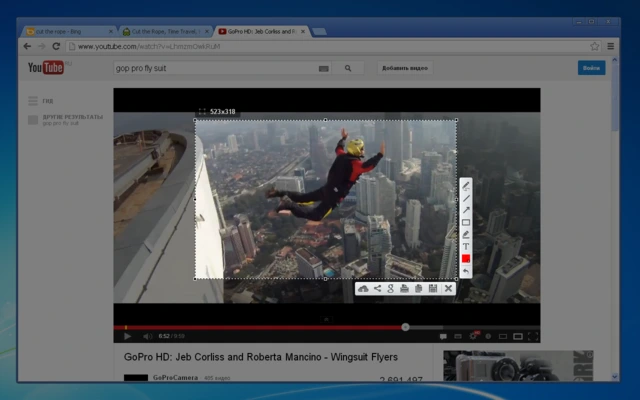
Lightshot has been a go-to snipping utility for Windows users who crave speed without clutter. Once installed, it binds to the Print Screen key and replaces the native capture overlay with a minimalist crosshair that feels identical on Windows 10 and Windows 11. Drag to define an area, and a slim toolbar instantly appears with color pickers, arrows, rectangles, text labels, and a freehand pen. Every tool responds in real time, so you can sketch a process annotation while the application beneath stays visible. Because the UI is feather-light, older laptops and remote desktops enjoy the same responsiveness as high-end workstations.
One standout feature is Lightshot’s automatic upload pipeline. With a single click, your capture hits Lightshot’s cloud, generates a short sharable URL, and copies it to the clipboard. You may also push directly to social networks or email clients, but the short-link method keeps support chats and stand-ups moving. Privacy-conscious teams appreciate that uploads can be disabled entirely, keeping everything local. When cloud storage is active, links support optional expiration dates so sensitive snippets vanish after incidents are resolved. The tool also lets you search for visually similar images across Lightshot’s public gallery, which comes in handy when you need inspiration for callout styles or want to verify if a UI issue has been documented already.
Lightshot’s settings panel hides a few underrated gems. You can choose file formats (PNG or JPG), tweak image quality, remap hotkeys, enable proxy support, and set automatic saves to custom folders synced with OneDrive or Dropbox. Multi-monitor users can capture across displays without reconfiguring anything; the selection rectangle slides effortlessly between screens and respects DPI scaling differences. For laptop warriors, a built-in delay toggle gives you a couple of seconds to open menus before the capture fires. The app launches with Windows but consumes negligible resources, making it safe to leave running all day.
Because the app’s visual language follows native Fluent Design cues, Lightshot feels right at home on Windows 11 while still embracing the sharper edges of Windows 10. Frequent updates keep compatibility intact, and the installer remains tiny—perfect for field techs or students on limited bandwidth. Whether you’re compiling customer support steps, filing bug reports, or brainstorming UI tweaks, Lightshot offers fast captures, simple markup, and straightforward sharing that encourage teams to communicate visually.
Technical Highlights
- Supported OS: Windows 10, Windows 11
- Capture Modes: region, full screen, multi-monitor
- Export: PNG, JPG, Lightshot cloud links
- Sharing: short URLs, social posting, clipboard copy
- Customization: hotkeys, proxy, auto-save folders